
How to Choose a Cannabis Dispensary POS System: Marijuana Retail Software, Inventory Management, and Payment Solutions
Authored by cannabiscanadabuzz.com, 21 May 2026
Running a cannabis dispensary is, operationally speaking, one of the most demanding forms of retail that exists. You're selling a controlled substance, tracking inventory down to fractions of a gram, complying with state-mandated reporting systems, and doing all of it while a significant portion of payment processors won't touch your business. The technology stack you choose isn't just a convenience - it's the backbone of your compliance, your customer experience, and your bottom line.
Choosing the right cannabis dispensary POS system is where most dispensary operators either gain a serious operational edge or quietly lose it to inefficiencies they can't easily trace. The market offers dozens of platforms, each promising to simplify your workflow, but the real differences show up in the details: how a system handles state traceability reporting, whether it can manage multi-location inventory without manual reconciliation, and how reliably it processes payments in an industry that banks treat with suspicion. Operators who've done the research often point to purpose-built platforms - the best POS solutions for cannabis shops are those designed specifically for regulated cannabis retail, not adapted from general retail software.
This guide breaks down every major consideration: from compliance architecture and inventory logic to payment processing realities and hardware requirements. Whether you're opening your first dispensary or upgrading an outdated system, the criteria here will help you make a decision you won't need to revisit in eighteen months.
Understanding What Makes Cannabis POS Different from General Retail
The Compliance Layer That General Retail Software Ignores
A standard retail POS system tracks products, processes sales, and generates receipts. A cannabis dispensary POS system does all of that, plus maintains a live connection to state seed-to-sale tracking systems like Metrc, BioTrack, or MJ Freeway. This integration isn't optional - in most licensed states, dispensaries are legally required to report every sale, return, and inventory adjustment to a state-mandated traceability platform in near real-time.
When a general retail platform is adapted for cannabis use, the compliance layer is usually bolted on as a third-party integration. This creates friction: data can fall out of sync, reporting errors accumulate, and your staff ends up manually reconciling discrepancies instead of serving customers. Purpose-built marijuana retail POS software treats compliance as a core function, not an add-on, meaning the state reporting happens automatically at the point of sale without requiring additional steps from your budtenders.
The cost of compliance failure is high. Depending on your state, reporting errors can result in fines, license suspension, or audit triggers. A POS system that makes compliance easy and automatic is not a premium feature - it's the minimum viable requirement for operating without legal risk.
Customer Age Verification and Purchase Limits
Every sale at a cannabis dispensary involves customer verification that goes beyond what a typical retailer handles. Your POS needs to integrate with ID scanning tools that verify age and flag expired documents in real time. More importantly, it needs to track cumulative purchase amounts against daily limits set by state law - both for recreational and medical customers, who often operate under different caps.
Systems that handle this well keep a customer purchase history that updates instantly at the point of sale. If a customer has already purchased the daily maximum at another location within the same chain, the system should flag it automatically. Some states require dispensaries to check this across licensed operators; others only require intra-store tracking. Either way, your POS should be configurable to match your specific state's rules.
Medical vs. Recreational Workflow Differences
Dispensaries that serve both medical and recreational customers face an additional layer of complexity. Medical patients often have different purchase limits, tax exemptions, and product access rules compared to recreational buyers. A weed shop point of sale system that handles dual-use operations well will allow staff to switch customer profiles quickly, apply the correct tax treatment automatically, and verify medical registry status - ideally through a direct integration with your state's patient registry rather than relying on paper documentation alone.
The patient-facing workflow also tends to require more detail. Medical customers often want to review their purchase history, track their spending, and receive product recommendations based on conditions rather than preferences. POS systems with robust customer profiles and notes fields serve this population significantly better than stripped-down retail interfaces.
Core Features of a Dispensary Inventory Management System
Real-Time Inventory Tracking at the Product Level
Cannabis inventory is unusually granular. A single SKU might be a specific strain from a specific batch with its own lab test results, potency percentages, and harvest date. A strong dispensary inventory management system tracks products not just by SKU but by batch, lot, and package ID - the same identifiers used by state traceability systems. This granularity serves two purposes: it keeps your compliance reporting accurate, and it gives your staff the product information they need to answer customer questions credibly.
Real-time inventory visibility also prevents the common retail failure of selling out-of-stock items. In a busy dispensary, products can move quickly. A POS that updates inventory counts live - rather than syncing at end-of-day - means your menu, whether on a digital display or a third-party listing platform, reflects what's actually on your shelves at that moment.
Receiving, Transfers, and Manifest Management
Inventory doesn't just move out of a dispensary - it arrives through licensed transfers, gets returned, gets destroyed, and sometimes gets adjusted due to counting errors or weight discrepancies. Each of these movements has to be logged and reported. A capable inventory management system provides a structured receiving workflow where staff scan incoming packages, verify quantities against the supplier manifest, and confirm receipt into the system - which simultaneously updates your state traceability account.
Transfers between locations within the same license group require their own manifest documentation. The best systems automate manifest creation, reducing the risk of a driver leaving your facility with an incomplete or incorrect document. This matters because transporting cannabis with an inaccurate manifest can expose both the driver and the licensee to regulatory action.
Waste, Returns, and Adjustment Workflows
Cannabis that's damaged, expired, or returned from a customer cannot simply be discarded. State regulations require that waste be logged, witnessed, and reported - sometimes with photographic documentation. Your dispensary inventory management system should have a dedicated waste workflow that creates an audit trail compliant with your state's specific disposal requirements.
Customer returns are handled differently across jurisdictions. Some states prohibit them entirely; others allow exchange but not refund. Whatever your state allows, the POS should enforce it at the point of return, not leave the decision to staff discretion.
Low-Stock Alerts and Reorder Management
A cannabis dispensary cannot always reorder from the same supplier on short notice - licensed distributors and cultivators operate on their own schedules, and popular products can go out of stock at the source. Low-stock alerts give buyers advance warning so they can begin the outreach process before a product disappears from your menu entirely. Some platforms allow you to set reorder thresholds by category or by individual SKU and route alerts directly to a purchasing manager rather than leaving them buried in a general dashboard.
Evaluating Marijuana Retail POS Software: What to Look for Beyond the Demo
State Integration Depth and Reliability
During a sales demo, every POS vendor will confirm that their software integrates with your state's traceability system. The more important question is how that integration behaves under real-world conditions. Does it queue failed sync attempts and retry automatically, or does it require manual intervention when the state API has downtime? Does it support all the transaction types your state requires, including manual adjustments, waste packages, and lab sample transfers?
Ask vendors to provide references from dispensaries operating in your specific state. Compliance requirements vary enormously between states, and a system that works flawlessly in Colorado may have significant gaps when deployed in New Jersey or Maryland. Speak with operators who've been using the platform for at least a year - early-stage integrations sometimes have rough edges that only become apparent after extended use.
Menu Management and Third-Party Integrations
Most dispensaries use at least one third-party menu platform - Leafly, Weedmaps, and similar services drive meaningful customer traffic and allow online ordering. Your marijuana retail POS software needs to push menu updates to these platforms automatically. Manual menu updates introduce errors and create situations where customers arrive expecting a product that's no longer in stock.
Beyond menu platforms, consider what other tools your operation depends on: loyalty programs, delivery management systems, HR platforms, accounting software. Each integration point you need to manage manually is a potential source of error. A POS with a robust API and a developed partner ecosystem reduces that burden considerably.
Reporting and Business Intelligence
Compliance reporting and business intelligence reporting are different things, and both matter. Compliance reports go to regulators; business reports help you make better decisions about staffing, purchasing, and pricing. Look for a system that gives you meaningful visibility into sell-through rates by product and category, average transaction value by day part, budtender performance, and customer retention metrics.
The best platforms let you customize report parameters rather than forcing you to work with preset views that may not reflect how you actually think about your business. If a vendor's reporting module feels rigid during a demo, it will feel more rigid once you're inside the operational reality of a busy dispensary.
User Interface and Staff Training Requirements
A POS that requires extensive training is a liability in an industry with significant staff turnover. The transaction workflow should be intuitive enough that a new hire can handle basic sales after a short orientation, while still giving experienced staff access to deeper features like product comparisons, customer history, and inventory lookup. Watch how the system handles the most common transaction types during a demo and pay attention to the number of taps or clicks required to complete a straightforward sale.
Cannabis Store Payment Solutions: The Honest Reality
Why Standard Credit Card Processing Doesn't Work
Most major card networks - Visa, Mastercard, and others - operate under federal banking regulations that prohibit them from processing transactions for federally illegal businesses. Since cannabis remains a Schedule I substance under federal law regardless of state legalization, standard merchant accounts are either unavailable to dispensaries or get closed without warning when the bank identifies the business type. This creates a payment processing environment unlike anything else in retail.
Dispensaries that have tried to process credit cards through accounts that obscure the business type face significant legal and financial exposure. The funds can be frozen, accounts terminated, and in some cases the practice has drawn regulatory scrutiny. Any cannabis store payment solution that promises straightforward credit card processing through standard channels warrants serious skepticism.
Cash Management Systems
Despite the increasing availability of alternative payment methods, cash remains the dominant payment type at many dispensaries. This creates a genuine operational challenge: large volumes of cash require secure handling, accurate counting, reconciliation with POS records, and secure transport to a bank willing to service a cannabis account. POS systems with integrated cash management features - automated cash drawer reconciliation, discrepancy alerts, and end-of-day cash counting workflows - reduce both errors and theft risk.
Some dispensaries use cash recyclers or smart safes that count and verify bills automatically, with the count data feeding directly into the POS. This dramatically reduces the time staff spends counting cash and creates a verifiable audit trail that's useful both for internal controls and compliance purposes.
Debit, ACH, and Cashless ATM Solutions
A significant portion of dispensary payment volume runs through PIN debit transactions, ACH bank transfers, and cashless ATM systems. Cashless ATMs work by routing a transaction as a cash withdrawal from an ATM - the customer selects a round amount slightly higher than their purchase total and receives change in cash. It's a workaround with legal and regulatory complexity; some states have explicitly restricted or prohibited the practice.
ACH and direct bank transfer solutions are increasingly available through cannabis-focused fintech companies and credit unions. These tend to offer cleaner compliance profiles than cashless ATM systems, though they introduce friction for customers who aren't prepared to authorize a bank transfer at checkout. The right cannabis store payment solutions for your operation will depend on your state's regulatory stance on each payment type and your customer base's preferences.
Cannabis-Friendly Banking and Payment Processors
The number of banks and credit unions willing to service cannabis businesses has grown, particularly among state-chartered institutions and community banks in legal states. Several fintech companies have built payment infrastructure specifically for cannabis retail. These solutions typically offer compliant debit processing at rates higher than standard merchant accounts, but they operate transparently and without the risk of sudden account termination.
When evaluating payment processing options, prioritize stability and transparency over the lowest rate. A payment processor that shuts down or gets de-banked mid-operation can leave you cash-only within days. Choose providers who have operated continuously for multiple years in the cannabis space and who can explain their banking relationships clearly.
Hardware Considerations for a Weed Shop Point of Sale
Terminals, Tablets, and Kiosk Options
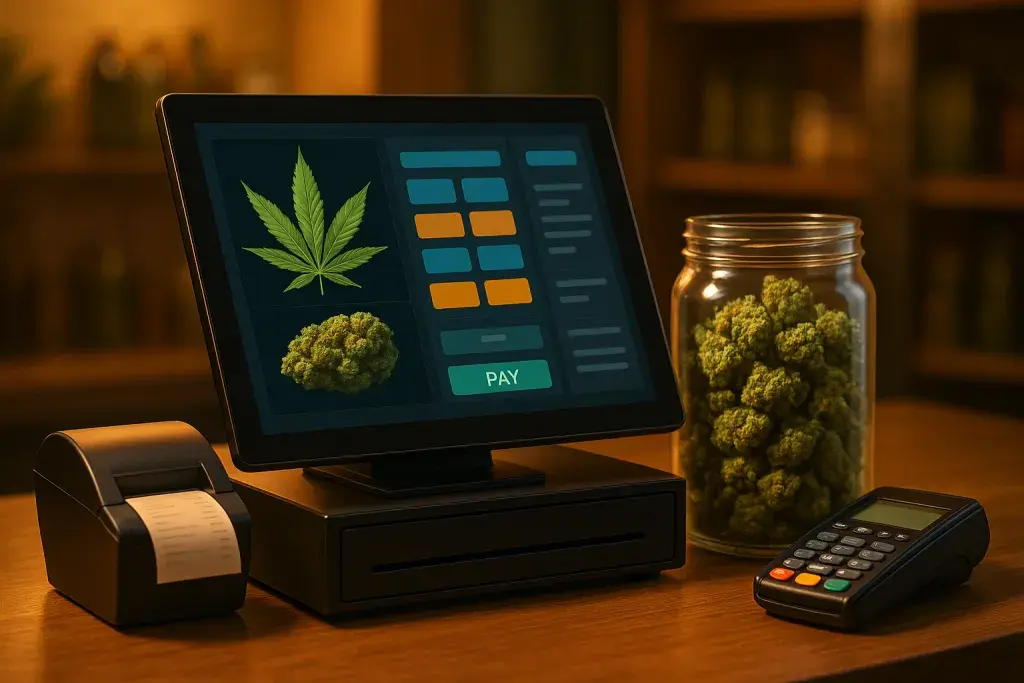
Cannabis retail hardware falls into a few standard configurations: dedicated touchscreen terminals at fixed stations, tablet-based systems that allow floor mobility, and self-service kiosks for express checkout or browse-and-order scenarios. The right setup depends on your floor plan, transaction volume, and the experience you want to deliver.
High-volume dispensaries often run multiple fixed terminals to prevent checkout lines from forming. Floor staff with tablets can assist customers while they browse and build orders that transfer to a checkout terminal when the customer is ready. Self-service kiosks work well in markets where customers know what they want, but they require more robust ID verification technology and aren't appropriate in all regulatory environments.
ID Scanners, Scales, and Label Printers
Beyond the primary terminal, a fully functional weed shop point of sale setup typically includes an ID scanner at intake, a scale for weighed products, and a label printer for compliance labels and product bags. ID scanners that integrate directly with the POS database are significantly more efficient than standalone devices - they populate the customer profile automatically and flag verification issues without requiring staff to cross-reference separately.
Scales used for cannabis transactions often need to meet state certification requirements for legal-for-trade accuracy. Confirm that any scale you purchase is compatible with your POS and meets your state's measurement standards before deployment.
Durability, Support, and Hardware Replacement
Hardware in a retail environment takes abuse. Terminals get bumped, tablets get dropped, and label printers jam during peak hours. When evaluating a POS vendor, ask specifically about their hardware replacement process: How quickly can a replacement unit be shipped? Can you configure a spare terminal from a backup easily? Is the hardware proprietary, or can it be sourced through standard channels if the vendor relationship ends?
Some POS vendors lock customers into proprietary hardware that becomes very expensive to replace or upgrade. Others support standard commercial hardware, giving you more flexibility. Either model can work, but you should understand the terms clearly before signing a contract.
Pricing Models, Contracts, and Vendor Evaluation
Understanding the Total Cost of Ownership
Cannabis POS pricing is rarely straightforward. Most vendors charge a combination of monthly software subscription fees, per-terminal fees, setup and onboarding fees, and sometimes per-transaction fees. Payment processing, if offered through the vendor, is usually priced separately. When comparing platforms, build out a realistic total monthly cost based on your actual transaction volume and terminal count - not the base rate listed on a pricing page.
Hidden costs to watch for include charges for additional user accounts, fees for accessing certain report types, and premium pricing tiers required to unlock compliance integrations. A platform that looks affordable at the base level can become expensive once you account for the features you actually need.
Contract Terms and Data Portability
Many cannabis POS vendors offer annual or multi-year contracts with early termination penalties. These are standard in the industry, but the terms vary considerably. Pay close attention to what happens to your data if you decide to switch platforms: can you export your full customer database, transaction history, and inventory records in a portable format? Data portability is often overlooked at contract signing and becomes a significant issue when you eventually want to migrate.
Some vendors offer month-to-month pricing at a premium. For a new dispensary still working out operational details, that flexibility may be worth the higher rate while you confirm the platform fits your workflow before committing long-term.
Onboarding, Training, and Ongoing Support
The quality of the onboarding experience has a direct impact on how quickly your staff reaches competency. Ask vendors specifically what the onboarding process includes: dedicated implementation specialists, training materials, go-live support. A vendor who hands you a login and a knowledge base article is a different kind of partner than one who assigns an implementation team to walk your staff through the system before your first day of sales.
Ongoing support quality matters just as much as initial onboarding. Dispensaries operate outside standard business hours - evenings and weekends are often peak trading periods. If your POS goes down on a Saturday afternoon, you need a support team available to respond immediately, not one that operates on a 9-to-5 schedule. Confirm support hours, response time commitments, and escalation paths before signing.
Making the Final Decision: A Practical Framework
Defining Your Non-Negotiables Before You Start Demos
Before you speak with a single vendor, write down the requirements your operation cannot compromise on. State traceability integration is almost certainly on that list. Payment processing support for your preferred methods should be there. If you operate multiple locations, multi-site inventory visibility is non-negotiable. If you have a medical program, patient registry integration matters.
Having this list written down before demos prevents vendors from successfully selling you on features you find impressive but don't actually need, while glossing over gaps in the areas that genuinely matter to your business.
Running a Structured Pilot Before Full Deployment
If your timeline allows, pilot the shortlisted system in a limited capacity before full deployment. This might mean running a single terminal on a new platform for a few weeks while maintaining your existing system, or processing a defined subset of transactions through the new software. Real-world testing will surface issues that demos never reveal - edge cases in compliance reporting, slowdowns during peak transaction volume, or staff friction points that training didn't anticipate.
Vendors who resist pilot arrangements or impose unreasonable conditions on trial periods are worth approaching with caution. A confident vendor with a strong product expects that real-world experience will validate their system rather than expose it.
Getting Input from Your Operational Staff
Budtenders and inventory managers will use this system for hours every day. Their input on usability, workflow logic, and daily pain points is more relevant than any feature list. Involve key staff members in the evaluation process - have them run through common transactions during demos and ask for their honest reaction. A system that impresses managers during a presentation but frustrates the staff who actually use it will underperform consistently.
- Invite your lead budtender to participate in at least one vendor demo
- Ask your inventory manager to evaluate the receiving and adjustment workflows specifically
- Have your compliance officer review the state reporting features before sign-off
- Ask front-desk staff about the customer check-in and ID verification flow
Frequently Asked Questions
Can I use a general retail POS system like Square or Shopify for my dispensary?
Standard retail POS platforms like Square and Shopify prohibit cannabis sales in their terms of service and do not offer state traceability integrations. Using them for cannabis retail violates their acceptable use policies and creates compliance gaps that can result in licensing problems. Purpose-built cannabis POS platforms are the only appropriate choice for a licensed dispensary.
What happens to my inventory data if I switch POS systems mid-operation?
Switching systems mid-operation requires a careful migration process. Your new platform will need to import your current inventory package IDs as they exist in your state traceability system. Most established cannabis POS vendors have migration protocols, but the process takes time and temporary discrepancies are possible. Plan the cutover during a low-volume period and expect to do a physical inventory count immediately before and after the transition.
How do cashless ATM payment systems work, and are they legal?
Cashless ATM systems route cannabis purchases as ATM withdrawals, with the customer receiving cash change for the difference between their total and the rounded withdrawal amount. Their legal status varies by state - some regulators have explicitly restricted or prohibited them, while others have not addressed them formally. Before implementing a cashless ATM solution, verify its compliance status with your state cannabis authority and your payment processor's own regulatory standing.
What does Metrc integration actually require from a POS system?
Metrc integration requires that your POS system communicate with the Metrc API to report sales, adjustments, transfers, and waste events in near real-time using package tags assigned to every cannabis product in your inventory. The POS must support all the package types and transaction types your state's Metrc implementation recognizes. Not all platforms support every Metrc feature equally - confirm with your vendor which specific Metrc actions are automated and which require manual steps.
How many POS terminals do I need for my dispensary?
A basic rule of thumb is one terminal per active checkout station plus at least one backup. The right number depends on your peak transaction volume and floor layout. A high-traffic dispensary processing hundreds of transactions daily will need more terminals than a smaller boutique operation. Consider the full workflow: if your model includes a separate intake desk where customers check in and get their ID verified, that station may need its own terminal independent of the checkout stations.
What should I ask a POS vendor about their compliance update process?
Ask how the vendor handles regulatory changes - specifically, when a state modifies its traceability requirements or reporting rules, how quickly does the platform update its integration, and who is responsible for notifying customers? Vendors who have been operating in cannabis for several years typically have established processes for handling regulatory updates. New entrants may not have been tested by a major compliance change yet, which is a legitimate risk factor to weigh in your evaluation.